Combat is the heart of Acts of Blood. The Steam demo asks you to manage short exchanges with strikes, blocks, counters, dodges, weapons, and finishers instead of simply rushing every enemy at once.
This guide explains the combat systems that Eksil Team has publicly documented for the demo, then turns them into a practical order for learning the game. Exact button strings and frame data are not published in the official notes, so always use the control menu in your installed build as the final reference.
How Combat Works
The official Steam listing describes the basic loop clearly: chain strikes, defend with blocks and counters, then finish an opening with a brutal takedown. In practice, the useful rhythm is to make an enemy react before committing to another action. Watch whether a hit staggers them, whether they are still guarding, and whether another opponent is closing in.
That makes combat less about memorising a long sequence immediately and more about choosing the right tool for the moment. A short, reliable string is usually more useful than a route you cannot control under pressure. The demo has received several combat-feel updates, including faster hand-to-hand attacks, revised hit and stagger behaviour, and improvements to dodge and counter responsiveness.
Punches, Kicks, and Unlockable Combos
Punches and kicks form the core of your unarmed offense. The v0.9.7 demo update added two punch combo sets and one kick combo set, alongside broader work to make combat feel more grounded. That tells us the move set is still evolving, so a combo list should always name the demo version it was tested on.
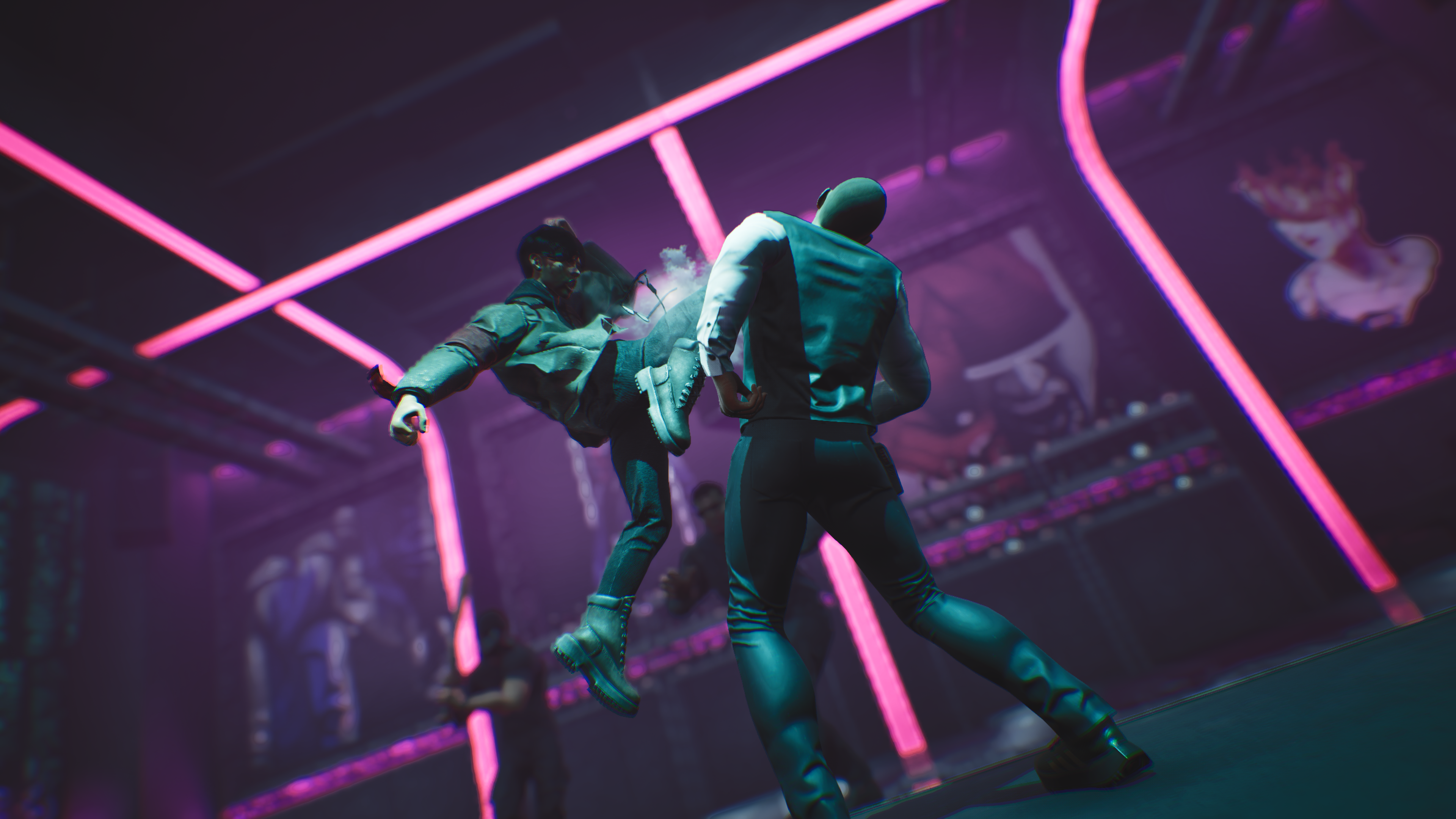
Start by learning one punch route and one kick route from your current control and upgrade menus. Use them until you can recognise their range and recovery without thinking about the inputs. Once those feel natural, add a follow-up only when an enemy is already staggered or isolated.
The demo also includes a skill tree. The v0.9.5 update notes that it is accessed from the Hub, so check there before assuming a move or upgrade is unavailable during a mission. The menu in the current build is the reliable place to confirm exactly what a skill unlocks.
Blocking, Countering, and Dodging
Blocking, counters, and dodges give you different answers to pressure. Blocks and counters are named in the official game description, while demo patches have repeatedly adjusted dodge and counter responsiveness. Use defense to take back your turn; do not treat it as a pause before returning to the same attack every time.
Counters deserve deliberate practice because timing and responsiveness can change between demo versions. Choose one enemy, wait for a readable attack, and use the current build’s counter input. When several enemies are nearby, a dodge that creates space can be safer than trying to counter an attack you cannot see.
Brute enemies received a grappling ability in v0.9.5. That update instructs players to press the counter button repeatedly to escape a grapple, making the counter input useful even when you are already caught.
Guard Pressure, Pushing, and Fighting Crowds
Fights become harder when opponents can surround you. The v0.8.8 notes added a push action for crowd control, and later updates continued to tune enemy waves and combat pacing. Use space as part of your offense: keep opponents in front of you, move away from walls when the group tightens, and reset the exchange before starting another string.
For the original v0.8.8 demo, the push action was listed as Q / left stick. Controls can change as the demo develops, so verify that binding in the current menu before relying on it. The important lesson is the role of the move: pushing gives you room to read the next threat instead of trading hits in the middle of a crowd.
Weapons and the Environment
Weapons change the range and risk of a fight. The official Steam page lists bats, knives, and guns, and it also says you can smash enemies through furniture or kick nearby objects. Use the environment when it creates distance, interrupts an enemy, or keeps a group from collapsing on you.
Each weapon category has its own considerations, including availability, spacing, and how safely you can recover after an attack. For a focused breakdown of the confirmed weapon systems and updates, read the Acts of Blood weapon system guide.
Finishers: Ending an Exchange
Finishers are a major part of the game’s combat identity. The official store page places them after strikes, blocks, and counters, while v0.9.7 added new finisher moves and new or improved cinematic finishers. That same update described the cinematic work as experimental, which is a useful reminder that the presentation and rules may still change before release.
Use a finisher when the current build presents a clear opportunity, rather than trying to force one into every exchange. Finishers work best as the payoff after you have created an opening and checked that another enemy will not immediately punish the animation.
Skill Progression, Arena Mode, and Bosses
The demo supports practice beyond its story encounters. v0.9.5 added two Arena levels, enemy waves, and a reworked boss system. The update also mentions work on boss pacing and phase transitions, so Arena is a sensible place to repeat defensive timing and crowd-control drills before taking those habits into boss fights.
Use the Hub skill tree between runs, then pick one thing to test in Arena: a new move set, a counter response, or a safer way to manage groups. This makes progression easier to understand than changing several variables at once.
What Should You Learn First?
- Learn your basic punch and kick routes. Use the current menu and build a small set you can repeat cleanly.
- Practice one defensive answer. Start with blocking or dodging, then work on counter timing against a single opponent.
- Use crowd control early. Test the push action and learn when to create space instead of extending a combo.
- Add weapons and environmental attacks. Use them to control range and break up dangerous situations.
- Practice in Arena. Repeat one scenario until you can recognise openings, then bring that habit to boss encounters.
Frequently Asked Questions
Are all combo inputs published?
No. Official updates confirm that additional punch and kick combo sets were added to the demo, but they do not publish a complete input list. Check the control and skill menus in the build you are playing.
How do you escape a brute grapple?
The v0.9.5 demo update says to press the counter button repeatedly to escape the brute’s grapple.
Where is the skill tree?
According to the v0.9.5 notes, the demo skill tree is available in the Hub.
Can you use weapons in Acts of Blood?
Yes. The official Steam listing names bats, knives, and guns, alongside hand-to-hand combat and environmental attacks.
Sources & verification
Official information checked on the dates below. This article does not claim hands-on testing.
- Acts of Blood — official Steam listing ↗Checked Oct 17, 2026
- Eksil Team — Demo Updates (v.0.8.8) ↗Checked Oct 17, 2026
- Eksil Team — Demo Updates (v.0.9.5) ↗Checked Oct 17, 2026
- Eksil Team — Demo Updates (v.0.9.7) ↗Checked Oct 17, 2026